Sketcho Photoshop Action


Studio Retouch
sku: 5656111
ACCORDING TO OUR RECORDS THIS PRODUCT IS NOT AVAILABLE NOW
$9.00
Shipping from: United States
Description
Sketcho Photoshop Action This Sketcho Photoshop Action are perfect for photographers and designers. It's enhances and adds more beautiful to images. It will help you to stunning your images to make unique and awesome looks. This set contains 20 different color option. When you open unviewed eye. This action has been tested and working on Photoshop English versions CC2020 English Version. Software supported version:CS4,CS5,CS5.5,CS6,CC2014,CC2015.5,CC2016, CC2017,CC2018,CC2019,CC2020 English Version. Most important instruction: 1 How to Select the Subject In this section, we are going to make a selection of our subject and then copy the subject to a separate layer. Choose the Quick Selection Tool W and select the background of the photo. Use the Shift-Alt buttons on your keyboard to add or subtract areas from the selection. After you've made a perfect selection, press Control-Shift-I on your keyboard to invert the selection. Now go to Select Modify Smooth and set the Sample Radius to 5 px. Next, go to Select Modify Contract and set Contract By to 2 px. Finally, go to Select Modify Feather and set Feather Radius to 2 px. 2 For good result first you need extract your canvas area. Simply select your background image and take crop tools than extension three sides. For more details follow PDF Help file. Then resize your images 3000x2000px dpi 300. 3 Open your photo take a new layer then rename paint in lowercase . Then select a brush and paint your image. Close "paint" layer eye and keep selection "paint" layer Then click action play button. 4 When you run this action, you see a stop message The Action is finish Now Set the foreground color to , choose the Brush Tool B , pick some of the Brushes that you have already loaded and brush mostly over the subject face area for erase or add more details. For erase set foreground color to and Add more details set foreground color to . Feel free to use different brushes. All you're will done. Enjoy the amazing result. Please follow the stop message instruction properly. File Includes: - ATN Files include Photoshop Action File - Brushes File - Pattern File - 20 Color Option - Help File - PDF Help File - Masking Option - Work on every photos. - High quality result. - Easy Customizable - Organize layers - Easy Install - User Guide - Easy to Use - No photoshop skill needed - 24 hrs support Note: Preview images are not included Recommend: For best result use photo between 2000-3000px,DPI 300
Technical Details
| _GoogleCategoryID: | 5032 |
Price history chart & currency exchange rate
Customers also viewed
$10.99
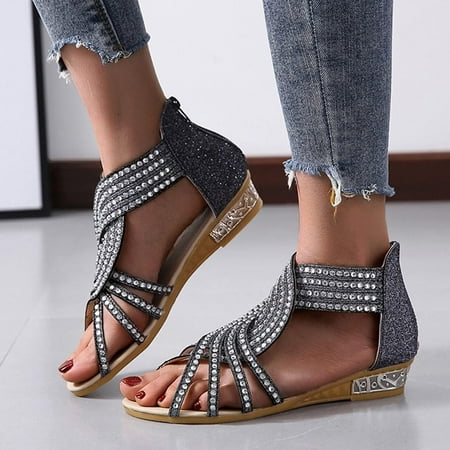
FAKKDUK Sparkly Sandals For Women Women Comfy Orthotic Sandal Anti-Slip Breathable Arch Support Platform Wedge Sandal Womens Outdoor Sandals 6&Black
walmart.com


$8.01
Термобелье детское для мальчика зимнее теплое черное, комплект детского термобелья для повседневной носки, Черный
prom.ua

$5.61
Набор "Сквиш Smooshy Mushy" 24500, Набор акриловая живопись по номерам, Номерные раскраски, Расскраска по
prom.ua


$3.02
Bee Pattern Rhinestone Decor Leather Wallet Stand Phone Case for Samsung Galaxy A51 - Rose Gold, Galaxy A51
tvc-mall.com
$9.92
Korean-style Spring And Summer Yoga Running Women's Slimming Workout Clothes Camouflage Mock Two-Piece Slim Fit Slimming Sports
aliexpress.com

$14.12
Изысканная коробка для хранения ожерелий ювелирных изделий винтажная коробка для хранения деревянный чехол для домашнего салона красоты
joom.ru
$18.13
SEAMETAL Магнитный чехол на лобовое стекло автомобиля, солнцезащитный козырек от солнца на лобовое стекло, водонепроницаемый козырек от снега для внедорожника чёрный/зелёный
joom.ru

