Power Effect Photoshop Action


Description
Power Effect Photoshop Action Power Effect Photoshop Action Turns your photo into a real of a Power Effect look. Save time of work with this action. After action finishes the work you get a well-organized and structured file with the many layers, folders, and settings to improve the final result. My Working Software Version : CC2020 English Version. Software supported version: CS4,CS5, CS5.5, CS6, CC, CC2014,CC2015, CC2015.5, CC2017,CC2018,CC2019,CC2020 English Version. Most important instruction: 1 How to Select the Subject In this section, we are going to make a selection of our subject and then copy the subject to a separate layer. Choose the Quick Selection Tool W and select the background of the photo. Use the Shift-Alt buttons on your keyboard to add or subtract areas from the selection. After you've made a perfect selection, press Control-Shift-I on your keyboard to invert the selection. Now go to Select Modify Smooth and set the Sample Radius to 5 px. Next, go to Select Modify Contract and set Contract By to 2 px. Finally, go to Select Modify Feather and set Feather Radius to 2 px. 2 For good result first you need extract your canvas area. Simply select your background image and take crop tools than extension two side or all side. For more details follow PDF Help file. Then resize your images 3000x2000px ,dpi 72 3 Open your photo take a new layer then rename paint in lowercase . Then select a soft brush and paint your image. Now take a new layer again and rename it "effect" in lowercase and select soft brush and brush your image area want to see "effect" look. Close effect layer eye. Place the "effect" layer under the paint layer . Close "paint" layer eye and keep selection "paint" layer Then click action play button. File Includes: - ATN File Photoshop Action File included - Brush File - Pattern File - Help File - PDF Help File - Work on every photos. - High quality result. - Easy Customizable - Organize layers - Easy Install - User Guide - Easy to Use - 24 hrs support Note: Preview images and Mockup are not included Images Recommended : I use images 3000x2000px dpi 72
Technical Details
| _GoogleCategoryID: | 5032 |
Price history chart & currency exchange rate
Customers also viewed


$4.38
Удлинитель для карандашей, регулируемый металлический удлинитель для карандашей, школьные принадлежности
aliexpress.com
$0.56
Christmas-themed Removable Stickers for Toilets Festive Christmas Toilet Stickers Green Plants for Kids for Home for Toilets
aliexpress.com
$24.31
Постельное белье полуторное 145х215 см Сатин CottonTwill с большой звездой Смайл Сине-серый
prom.ua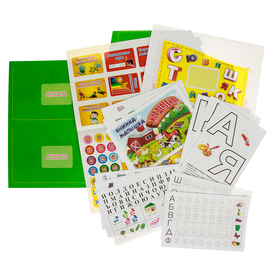
$5.16
Интерактивная игровая папка. Лэпбук. Развитие речи: гласные и согласные. Для детей 6-7 лет
sima-land.ru

$9.36
Длинные мужские плавки Deenyt SP4945 цвет синий, Длинные мужские плавки Deenyt SP4945 XL цвет синий
rozetka.com.ua


$7.65
Книга A brief historical sketch of the holy Apostolic Church of Armenia. P. H. Jacob
sima-land.ru

$15.28
Книга L'aurore Australe: La Société Australienne, Le Socialisme En Australie, La Constitution Australienne Et Son Fonctionnement, La Valeur Et La Situ
sima-land.ru
