Frame Mockup PSD JPG


Description
Frame Mockup PSD JPG i00564 --- WHAT IS INCLUDED - 1 PSD file with a Smart Object - 1 JPG file 3000x4000 px PLEASE, NOTE: Objects are not movable and background color cannot be changed! --- SAVE YOUR MONEY! BUY ONE OF OUR MEGA BUNDLES: FRAME MOCKUP BUNDLE "ALL FRAMES IN 1": MEGA MOCKUP BUNDLE "ALL SHOP IN 1": --- HOW TO USE SMART OBJECTS IN PHOTOSHOP: Open the PSD-file in Photoshop. Double click on the "Your Design Here" layer. It opens a new window. Insert your design into this window and position it. Click save and close the window. Go back to the window of the original PSD-file. You will see your artwork there, placed exactly into the mockup. Save your file! If you have any questions, please contact us and we'll be happy to help you! --- DON'T HAVE PHOTOSHOP? Follow this link and learn how to work with a mockup without Photoshop: qjkqJpKRO8I This video shows you how to use a free online editor "Photopea.com" to place an image in a Smart Object. --- Follow us on Instagram @vnmockup
Technical Details
| _GoogleCategoryID: | 5032 |
Price history chart & currency exchange rate
Customers also viewed

$56.38
Постельное бельё 2 сп Forte, размер 220x240 см, 175x215 см, 50x70 см - 2 шт, 70x70 см - 2 шт
sima-land.ru

$9.67
Гель для обличчя і тіла Avene Trixera Nutrition Nettoyant Nutri-Fluide очищувальний та поживний, 400 мл
prom.ua


$31.75
Женские кроссовки в стиле Nike Найк Air Force 1 Shadow, кожа, бежевые с розовым, 36 (23 см), Белый
prom.ua


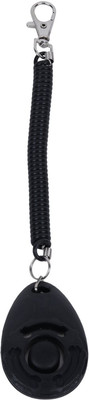
$5.72
SRI Dog Training Clicker With Wrist Strap For Dog Cat & Horse Steel Training Aid For Dog
flipkart.com