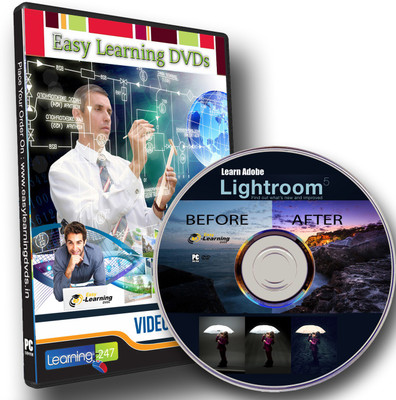
Easy Learning Adobe Lightroom 5 Video Tutorial Training Course DVD(DVD)
Easy Learning
sku: EDMEHDVTG3RNZHWM
ACCORDING TO OUR RECORDS THIS PRODUCT IS NOT AVAILABLE NOW
$8.61
Shipping from: India
Description
PRODUCT DESCRIPTION74 Video Lessons Duration : 8.5 hours Level : Beginner And intermediate SECTION 1: INTRODUCTION TO LIGHTROOM 51 What Is Lightroom? 02:392 How to Use This Course 01:083 What's New in Lightroom 5 06:444 The Lightroom Workspace 03:14SECTION 2: PROJECT EXPLORATIONS5 Automatically fix keystoning with the new Upright command 07:186 Use the new Radial Filter to add multiple light sources to an image. 07:357 Working with the new spot removal brush 05:278 See how Smart Previews make it possible to work with catalogs of images anywhere 10:36SECTION 3: IMPORTING YOUR PHOTOS9 Importing from a Memory Card or Hard Drive 12:3310 Import File Handling Options 04:5511 File Renaming Options 05:2812 Applying Develop and Metadata Settings on Import 04:1113 Preferences for Photo Importing 04:47SECTION 4: WORKING WITH LIGHTROOM14 General Preferences 02:2115 Presets Preferences 04:5116 External Editing Preferences 06:4317 File Handling Options 05:1218 Interface Preferences 07:2819 Setting Up an Identity Plate 04:4220 Working with Panels and Lights Out 09:2321 Catalog Settings 08:2622 Creating a Custom Watermark 09:37SECTION 5: WORKING WITH THE LIBRARY MODULE23 The Library Module 02:2324 Grid View 07:2025 Loupe View 07:0226 Compare View 04:5627 Survey View 02:1228 Working with the Filmstrip 03:59 Preview29 Video Support 11:2330 Quick Collections 05:0531 Collections06:0932 Smart Collections 05:0433 Rating, Labels, and Flags 07:1334 Keywords 15:2735 Working with Metadata 08:5436 Library Filters 06:2237 Stacking Photos 03:4038 Dealing with Offline Files 05:12SECTION 6: CATALOGS39 Catalogs, Folders, and Collection 06:5340 Backing Up Your Catalogs 04:58SECTION 7: EXPORTING 41 Exporting Images 10:0242 Publish Services 06:29SECTION 8: WORKING WITH THE MAP MODULE43 Intro to the Map Module and Setting Map Preferences 06:1444 Working with the Map Module 09:26SECTION 9: EDITING ESSENTIALS45 Develop Presets 06:2746 Basic Exposure Controls 16:0047 Clarity for Your Photos 02:2448 Vibrant and Saturated Colors 02:0049 Fine-Tuning with the Tone Curve 11:4650 Vignetting Effects 04:1251 Creating Virtual Copies 03:0952 Applying Changes to Other Photos 05:3253 Color Adjustments 06:3954 Soft Proofing 04:2155 Quick Develop Panel 04:16SECTION 10: RETOUCHING AND CORRECTION: LOCAL ADJUSTMENTS56 The Graduated Filter 07:2157 Noise Reduction03:4458 Sharpening 06:5659 Using the Crop Overlay tool 07:0860 Adding Grain Effects in the Effects Panel 02:1161 Lens Corrections 09:2662 Removing Red-Eye 02:4263 Sensor Dust Removal 07:1564 Portrait Touch-Up 11:4065 The Adjustment Brush 09:07SECTION 11: FROM COLOR TO BLACK-AND-WHITE66 Converting Color into Black-and-White 07:1867 Adding a Color Tint 05:23SECTION 12: PRINTING68 Printing 11:4569 Preparing Multiple Images for Print 05:3370 Print Settings 07:15SECTION 13: SLIDESHOWS AND WEB PHOTO GALLERIES71 Creating a Web Gallery 09:3072 Creating a Slideshow 17:21SECTION 14: MAKING BOOKS73 Preparing Your Images 03:4774 Making a Book 12:35_________________________________________________________________ This DVDs are only suitable for a PC/laptop/Mac; it WILL NOT play on a TV _________________________________________________________________